Qdoba Delivery 2026: How to Order, Apps, Deals & Menu (USA)
You are hungry. You want a massive, customizable burrito bowl with free queso and guacamole. You open your phone. You type: qdoba delivery.
The short answer is yes – Qdoba delivers almost everywhere in the USA. You can get Qdoba delivered through the official Qdoba app, DoorDash, Uber Eats, Grubhub, and Postmates. You can also order directly from Qdoba.com for delivery. Most locations offer delivery from late morning until around 9–11 PM, with some urban stores delivering as late as midnight.
This guide covers everything you need to know about Qdoba delivery in 2026. You will learn where delivery is available, how to order step by step, which apps have the best deals, what the menu costs, and how to solve common delivery problems.
Quick answer: Does Qdoba deliver?
Yes. Qdoba offers delivery through multiple channels:
- Qdoba app & website – order directly, earn QDOBA Rewards points, and sometimes get free delivery.
- DoorDash – primary partner, often $0 delivery for DashPass members.
- Uber Eats – fast delivery, $0 for Uber One members on select orders.
- Grubhub & Seamless – available in most markets.
- Postmates – still works in many cities.
Not every single location delivers (some are pickup‑only), but the vast majority of the 840+ US locations now offer delivery. The easiest way to check: open the Qdoba app, enter your address, and see if delivery is available.
Table of Contents
- Does Qdoba Offer Delivery? (Short Answer)
- Where Can You Get Qdoba Delivery?
- Qdoba App & Website (Direct Ordering)
- DoorDash
- Uber Eats
- Grubhub / Seamless
- Postmates
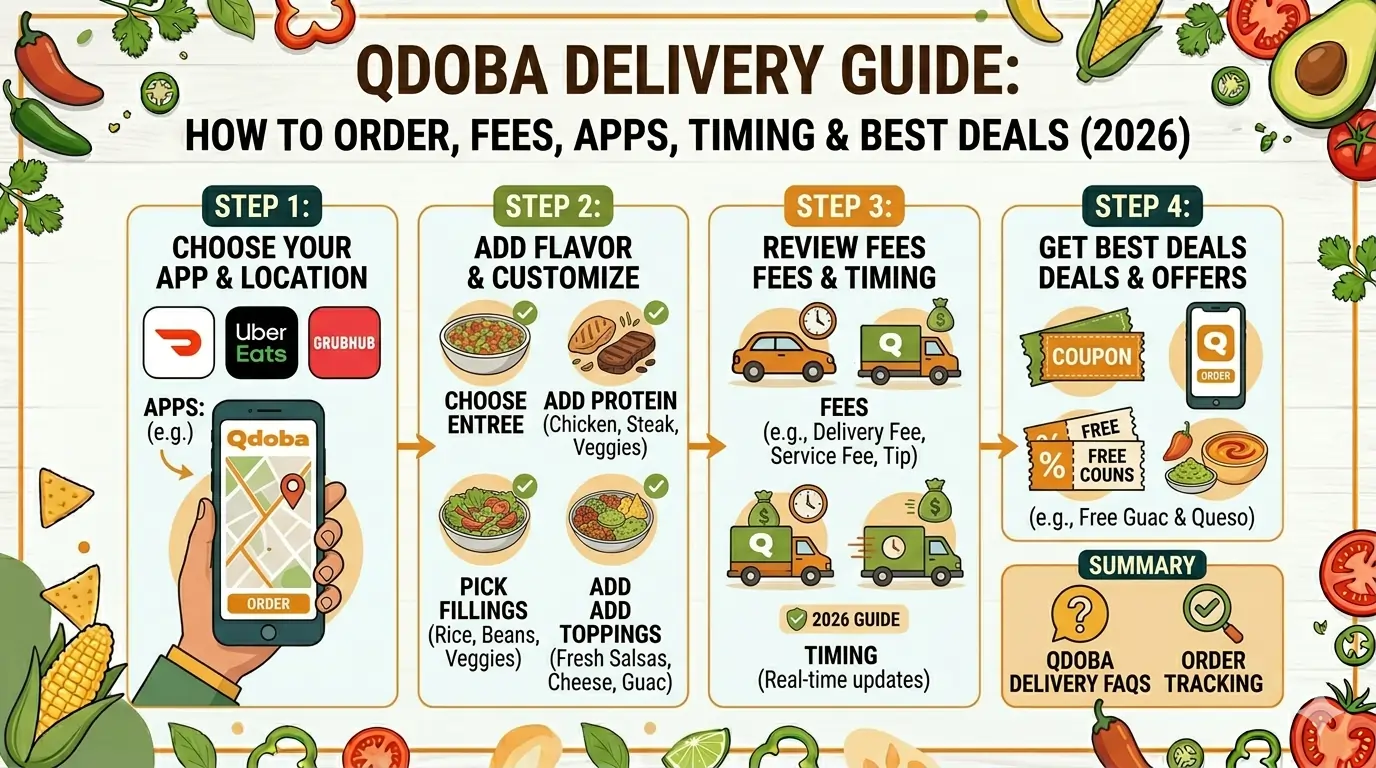
- How to Order Qdoba Delivery – Step by Step
- Via the Qdoba App
- Via DoorDash or Uber Eats
- Does Every Qdoba Location Offer Delivery?
- Qdoba Delivery Menu & Prices (2026 Tables)
- New & Popular Items
- Bowls (Most Popular for Delivery)
- Burritos
- Qdoba Delivery Deals, Coupons & Free Delivery
- Full Moon Free Queso & Chips
- National Burrito Day
- QDOBA Rewards & Birthday Freebie
- Qdoba vs. Chipotle Delivery: Which Is Better?
- What Other Ways Can You Get Qdoba Food? (Pickup, Catering, etc.)
- Qdoba Delivery Not Working? Troubleshooting
- Frequently Asked Questions (FAQ)
- The Bottom Line – Best Way to Get Qdoba Delivered
Does Qdoba Offer Delivery? (Short Answer)
Yes – in most cases.
As of 2026, over 95% of Qdoba locations in the USA offer delivery either through the brand’s own app or through third‑party services. The table below shows which channels work for delivery.
| Scenario | Delivery Available? |
| Ordering from Qdoba app (direct) | ✅ Yes (most locations) |
| Ordering from Qdoba website | ✅ Yes (same as app) |
| DoorDash | ✅ Yes (primary partner) |
| Uber Eats | ✅ Yes |
| Grubhub / Seamless | ✅ Yes |
| Postmates | ✅ Yes (in many cities) |
| Calling the restaurant directly | ❌ No (they will redirect you to app or delivery apps) |
| Older franchise locations | ⚠️ Possibly not (pickup only) |
Pro tip: The Qdoba app gives you the best value because you earn QDOBA Rewards points (1 point per $1) that turn into free entrees. Third‑party apps often have higher menu prices and extra fees, but they are more convenient if you already use DashPass or Uber One.
Where Can You Get Qdoba Delivery?
Qdoba App & Website (Direct Ordering)
The official Qdoba app (iOS and Android) and Qdoba.com are the best ways to order delivery. You get the lowest prices (no third‑party markup), earn rewards points, and have access to app‑exclusive deals like the Full Moon Free Queso & Chips.
- Minimum order: $15 for delivery.
- Delivery fee: Varies by location, but often $3–$5. Sometimes free during promotions.
- Real‑time tracking: Yes, in the app.
DoorDash
DoorDash handles the majority of Qdoba’s third‑party deliveries. If you have DashPass (subscription), you get $0 delivery fees on orders over $12.
- Fees: Usually $0–$6 depending on distance and demand.
- Availability: Nearly every Qdoba that offers delivery.
- Tip: DoorDash often runs “first order $0 delivery” promotions.
Uber Eats
Uber Eats is the second most common delivery partner. Uber One members get $0 delivery on eligible orders.
- Standard delivery fee: Around $4.99 (waived for Uber One).
- Minimum order: Usually none, but small orders may have a small cart fee.
Grubhub / Seamless
Grubhub and Seamless (same network) also deliver Qdoba in most cities. They occasionally offer promo codes like $5 off $15 for first‑time users.
Postmates
Postmates (now owned by Uber) still lists Qdoba in many markets. Fees tend to be higher, but new users often get a free delivery code.
How to Order Qdoba Delivery – Step by Step
Via the Qdoba App (Best for Rewards)
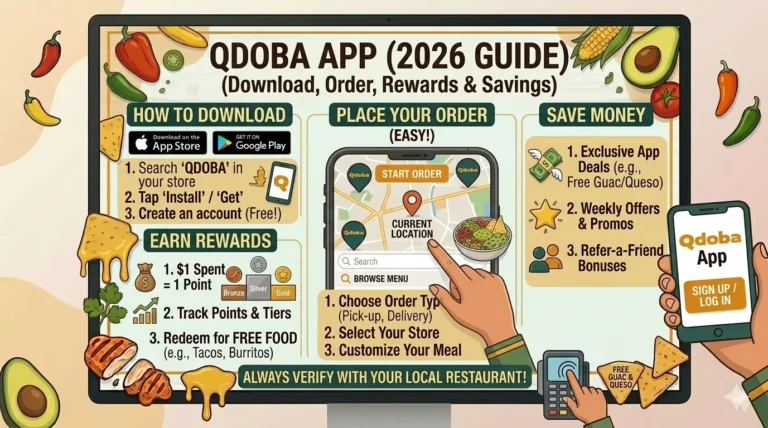
- Download the Qdoba app from the App Store or Google Play.
- Create or log into your QDOBA Rewards account – you’ll get free chips & queso just for signing up.
- Enter your delivery address – the app will show if delivery is available.
- Build your order – choose a burrito, bowl, tacos, or nachos. Customize every ingredient. Remember: guacamole and queso are always free.
- Go to checkout – review your items.
- Select payment method – credit/debit card, Apple Pay, Google Pay, or a Qdoba gift card.
- Apply any promo codes (e.g., for free delivery).
- Place your order – you will see real‑time tracking.
- Meet the driver or leave delivery instructions.
Via DoorDash or Uber Eats
- Open DoorDash or Uber Eats app.
- Search for “Qdoba.”
- Select your nearest location (check ratings – some locations are faster than others).
- Build your order (note: prices may be 10–20% higher than in the Qdoba app).
- Add any available promo codes (DoorDash often has “$0 delivery fee” for first orders).
- Pay with Apple Pay, credit card, or the app’s wallet.
- Track your driver and enjoy.
Does Every Qdoba Location Offer Delivery?
No, not every location.
Qdoba restaurants are mostly company‑owned, but some are franchises. While Qdoba corporate has pushed delivery integration, a small number of locations (especially in rural areas or older buildings) may still be pickup‑only.
How to check before you order:
- Open the Qdoba app and enter your address. If delivery is not available, the app will say “Pickup only” or show no delivery option.
- Call the restaurant directly and ask: “Do you offer delivery through the app or DoorDash?”
- Look on DoorDash – if the location appears, delivery works.
What if my local Qdoba doesn’t deliver?
You can still order pickup through the app and pick it up yourself. Or you can use a third‑party courier service like Roadie or TaskRabbit (not recommended – expensive).
Qdoba Delivery Menu & Prices (2026 Tables)
All prices are averages for the USA in 2026. Your local Qdoba may be slightly higher or lower.
Table 1: New & Popular Items (Best for Delivery)
| Item | Calories | Price |
| Surf & Turf Bowl (steak + shrimp) | 810 | $13.25 |
| Cholula Hot & Sweet Chicken Bowl | 650 | $15.25 |
| Loaded Tortilla Soup (bowl) | 410 | $13.25 |
| Habanero Lime Steak Tacos (3 ct.) | 120 per taco | $5.05 |
| Nacho Bowl (chips on side) | 700 | $10.00 |
Table 2: Bowls (Most Popular for Delivery – Travel Well)
| Item | Price |
| Create Your Own Bowl (choose protein + toppings) | $13.25 – $14.70 |
| Citrus Lime Shrimp Bowl | $15.25 |
| Birria Bowl (limited time) | $10.45 |
| Keto Bowl (no rice, extra lettuce) | $13.25 |
Table 3: Burritos (Wrapped Tight – Great for Delivery)
| Item | Price |
| Create Your Own Burrito | $13.25 |
| Queso Burrito (chicken or veggie) | $7.80 |
| Queso Burrito (steak, beef, or pork) | $8.40 |
| Naked Burrito (no tortilla, in a bowl) | $13.25 |
Important note: Qdoba does not charge extra for guacamole or queso. That is a huge win for delivery customers – you can add both for free.
Qdoba Delivery Deals, Coupons & Free Delivery
Qdoba runs some of the best promotions in fast‑casual dining. Here are the active deals for 2026.
Full Moon Free Queso & Chips (Best Deal)
On every full moon in 2026, QDOBA Rewards members get a free Medium Queso & Chips with the purchase of any entrée. Valid for delivery orders placed through the Qdoba app (must be logged into Rewards). Remaining 2026 full moons: July 29, August 28, September 26, October 26, November 24, December 23.
National Burrito Day (April 2) – Free Burrito or Bowl
On April 2, 2026, Rewards members who bought an entrée + a drink received a free burrito or bowl for a future order. This returns every year.
QDOBA Rewards – Earn Free Food on Every Delivery
- Sign up: Free chips & queso immediately.
- Earn: 1 point per $1 spent on delivery orders.
- Redeem: 125 points = any free entrée (burrito, bowl, salad, etc.).
- Gold Status: 12 orders/year unlocks free birthday entrée, $2 chips & dip every day, and surprise offers.
Birthday Reward
Qdoba sends a free entrée coupon to Rewards members during their birthday month. Works on delivery.
Gift Card Bonus
Sometimes buying a $50 eGift card earns you a $10 bonus card. Check the Qdoba website for current offers.
Free Delivery Promotions
Occasionally Qdoba offers free delivery on orders over $15 through the app. Look for a banner at the top of the app or website. No code needed – it auto‑applies.
CHECK-OUT: Qdoba Deals.
Qdoba vs. Chipotle Delivery: Which Is Better?
The eternal debate. Here is a head‑to‑head comparison for delivery in 2026.
| Feature | Qdoba | Chipotle |
| Guacamole | Free on any entrée | Extra charge (~$3) |
| Queso | Free 3‑Cheese Queso | Extra charge |
| Create Your Own Bowl | $13.25 – $14.70 | $9.80 – $9.95 |
| Steak Burrito | $12.30 | $12.45 (Qdoba wins by $0.15) |
| Delivery partner | DoorDash, Uber Eats, own app | DoorDash, Uber Eats, own app |
| Rewards program | 1 point per $1 → 125 pts = free entrée | 10 points per $1 → 1,250 pts = free entrée (similar value) |
| Free delivery options | DashPass, Uber One, app promos | DashPass, Uber One, Chipotle app promos |
| Unique advantage | Free queso + guac | Slightly lower base bowl price |
Verdict for delivery: Qdoba wins on value because free guac and queso add $5+ of value to every order. Chipotle wins if you want a slightly cheaper bowl and don’t care about queso. But for most people, Qdoba delivery is the better deal.
What Other Ways Can You Get Qdoba Food? (Pickup, Catering, etc.)
If delivery is not available or you prefer to pick up, here are your options.
| Method | Works? | Best for |
| In‑store pickup (Qdoba app) | ✅ Yes | Saving delivery fees, earning rewards |
| Walk‑in counter order | ✅ Yes | Paying with cash or gift cards |
| Drive‑thru | ✅ Yes (select locations) | Quick pickup without leaving car |
| Catering delivery | ✅ Yes (minimum $100+) | Offices, parties, events |
| Curbside pickup | ✅ Yes (via app) | Contactless – they bring it to your car |
| Third‑party courier (Roadie, etc.) | ⚠️ Possible but expensive | Desperate times |
Catering detail: Qdoba delivers catering orders directly (not through DoorDash). You need to order at least 24 hours in advance. Minimum order is usually $100.
Qdoba Delivery Not Working? Troubleshooting
Here are the most common delivery problems and how to fix them.
| Problem | Likely Fix |
| App says “Delivery not available” | Your address may be outside the delivery radius. Try a different Qdoba location or switch to pickup. |
| DoorDash shows Qdoba but won’t let you order | The location may have temporarily turned off delivery (too busy). Wait 15 minutes or try Uber Eats. |
| Order is late / driver is lost | Use the in‑app chat or call the driver. For Qdoba app orders, contact customer support through the app. |
| Missing items in your delivery | Take a photo of the missing items. Contact Qdoba support via the app (for direct orders) or DoorDash/Uber support (for third‑party). Most will issue a refund or credit. |
| Qdoba app crashes at checkout | Force‑close the app, clear cache, or reinstall. If that fails, order through DoorDash instead. |
| Promo code not working | Check the fine print – some codes are for pickup only. Try “FREEDEL” (if available). |
| Driver delivered to wrong address | Immediately message the driver through the app. If there is no response, contact support for a refund. |
Pro tip: For direct Qdoba app orders, save the customer service number in your phone: 1‑888‑554‑2056 (Qdoba Guest Support). They are usually helpful with missing items or wrong orders.
The Bottom Line – Best Way to Get Qdoba Delivered
Qdoba delivery is easy, affordable, and packed with value – especially if you take advantage of QDOBA Rewards and the free queso/guac policy.
Here is your playbook for the best experience:
- Download the Qdoba app and sign up for Rewards. Get free chips & queso immediately.
- Order directly through the app – you earn points, avoid third‑party price markups, and get access to full‑moon freebies.
- If your local Qdoba doesn’t deliver (rare), use DoorDash or Uber Eats. They cover almost everywhere.
- Always check for promo codes before checkout – “FULLMOON” on full moon dates, “BIRTHDAY” during your birthday month, or “FREEDEL” for free delivery.
- Keep a backup payment method – the app accepts Apple Pay, Google Pay, credit cards, and gift cards.
Final recommendation:
For the absolute best deal, order on a full moon through the Qdoba app, add any entrée, get free queso & chips, and use a $0 delivery promo if available. Your total will be under $15 for a massive burrito bowl + free queso delivered to your door. Try getting that from Chipotle.
Now you know everything about Qdoba delivery in 2026. Go order that Surf & Turf Bowl – your couch is waiting.
Frequently Asked Questions (FAQ)
Does Qdoba offer delivery?
Yes. Qdoba offers delivery through its own app, Qdoba.com, DoorDash, Uber Eats, Grubhub, and Postmates.
What delivery apps have Qdoba?
DoorDash, Uber Eats, Grubhub, Seamless, and Postmates. DoorDash is the primary partner with the fastest delivery times.
How much is Qdoba delivery?
Delivery fees vary. Through the Qdoba app, it is often $3–$5. DoorDash charges $0–$6 (free for DashPass members). Uber Eats charges around $4.99 (free for Uber One members).
Does Qdoba have free delivery?
Yes – occasionally through the Qdoba app. Also, DashPass and Uber One members get free delivery on many orders. First‑time DoorDash users often get $0 delivery.
What is the minimum order for Qdoba delivery?
When ordering directly through the Qdoba app or website, the minimum is $15. Third‑party apps usually have no minimum, but small orders may have a small cart fee.
How do I get free Qdoba delivery?
Join DashPass or Uber One, or watch for limited‑time promotions in the Qdoba app (e.g., “FREE DELIVERY on orders $15+”).
Can I order Qdoba delivery through the app?
Absolutely. The Qdoba app is the best way because you earn QDOBA Rewards points and get app‑exclusive deals.
Is Qdoba delivery cheaper than Chipotle delivery?
Price differences are tiny (within 15 cents on bowls and burritos). However, Qdoba is a better value because guacamole and queso are free – at Chipotle, they cost extra.
Does Qdoba deliver late at night?
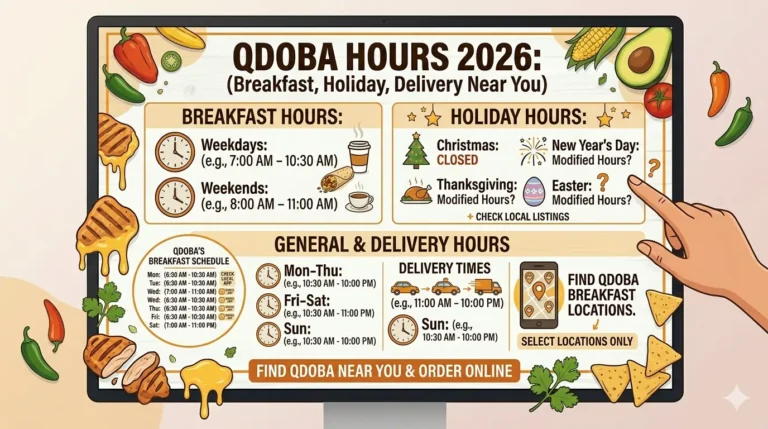
Most Qdoba locations stop delivery between 9 PM and 11 PM. Some urban stores deliver until midnight. Check your local store’s hours in the Qdoba app.
What if my Qdoba delivery order is wrong?
Contact Qdoba Guest Support at 1‑888‑554‑2056 for direct orders. For DoorDash/Uber Eats orders, use the app’s “Help” section to report missing or wrong items. Always take photos.
How do I earn QDOBA Rewards points on delivery orders?
Order while logged into your QDOBA Rewards account in the Qdoba app. Points are automatically added for every dollar spent, including delivery fees? (Delivery fees usually do not earn points, only the food subtotal.)
Does Qdoba still offer free queso and chips?
Yes – new Rewards members get free queso & chips just for signing up. Plus, Rewards members get free medium queso & chips on every full moon in 2026 with an entrée purchase.
Why is the Qdoba app not working for delivery?
Try force‑closing the app, restarting your phone, updating the app, or reinstalling. If the problem persists, order through DoorDash or Uber Eats as a backup.
Can I use Apple Pay for Qdoba delivery?
Yes – the Qdoba app, DoorDash, and Uber Eats all accept Apple Pay at checkout.
Does Qdoba deliver to hotels or offices?
Yes – just enter the exact address and include suite/room number in delivery instructions. The driver will call you upon arrival.
One Comment